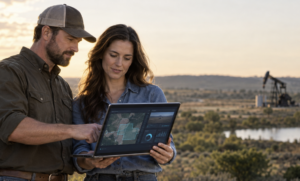
The mineral rights industry has traditionally relied on courthouse records, landmen, printed maps, legal documents, personal networks, and lengthy research processes. Technology is changing that landscape quickly. Modern information technology gives mineral owners, buyers, attorneys, geologists, and energy companies faster access to property data, production information, ownership records, mapping systems, and market intelligence that once required days or weeks of manual research.
The change reflects a much broader transformation taking place across nearly every major industry. Information technology has become the infrastructure behind modern business decisions, allowing enormous amounts of information to be collected, organized, analyzed, and shared almost instantly.
For landowners who own mineral interests, these advances can make it easier to understand what they own and how those assets may fit into the energy marketplace. For mineral buyers and professionals, technology is making research more efficient while creating opportunities to evaluate properties using larger and more detailed collections of data.
The result is a mineral rights marketplace that is gradually becoming more digital, data-driven, and accessible.
Digital Records Are Changing Mineral Ownership Research
One of the most important changes has been the conversion of public records into searchable digital databases.
Mineral ownership can be complicated. Surface ownership and mineral ownership may have been separated decades ago, and interests may have passed through several generations of a family. Deeds, leases, assignments, probate documents, and other legal records can all play a role in establishing ownership.
Historically, researching that chain of title often required physically visiting county courthouses and reviewing books, microfilm, or paper records.
Many counties now provide at least some property and deed information online. That does not eliminate the need for careful title research, but it can significantly reduce the time required to locate relevant documents.
Digital indexing also allows professionals to search names, legal descriptions, parcel information, recording dates, and instrument numbers much more efficiently.
The continuing development of digital public records is part of the larger expansion of government information systems. Organizations such as the National Institute of Standards and Technology’s information technology program regularly publish developments involving information technology, data systems, cybersecurity, and digital infrastructure.
As more records become searchable online, both mineral owners and industry professionals gain faster access to information that can help establish ownership and support informed decisions.
GIS Mapping Has Created a New View of Mineral Assets
Maps have always been important in the oil and gas industry, but modern geographic information systems have dramatically expanded what those maps can show.
GIS technology allows multiple layers of information to be displayed on the same map. A mineral professional may be able to examine property boundaries, drilling locations, producing wells, pipelines, geological formations, nearby leases, roads, and other geographic information from a single interface.
This can create a much clearer picture of where a mineral interest sits within a larger development area.
Instead of looking at a property as an isolated parcel, professionals can analyze its relationship to surrounding drilling activity and infrastructure. That geographical context can be important because mineral values may be influenced by activity taking place nearby.
Interactive mapping systems also allow users to zoom from a broad regional perspective down to individual parcels or wells. Information that previously required several maps and spreadsheets can increasingly be viewed through one digital platform.
The rapid expansion of mapping technology represents another example of how software is turning complex physical information into searchable and visual data. 🗺️
Production Data Can Be Analyzed Faster
Oil and gas production information has long been an important part of evaluating mineral interests.
Modern databases make it possible to organize large amounts of historical production information and compare wells across different areas. Analysts can examine production trends, drilling activity, operator history, and other factors without manually assembling every piece of information from separate reports.
Software can also help identify patterns within large datasets.
A single property may be influenced by dozens of surrounding wells. Reviewing each well individually would be time consuming, but digital tools can organize production histories in ways that make comparisons easier.
Technology does not eliminate uncertainty from mineral valuation. Commodity prices fluctuate, wells perform differently, drilling plans change, and geological conditions vary considerably from one location to another.
What technology does provide is faster access to more information.
That distinction matters. Better access to data can improve the quality of analysis without pretending that technology can predict every future result.
Data Analytics Is Improving Mineral Valuation
Valuing mineral rights involves much more than checking the current price of oil or natural gas.
Location, acreage, ownership percentage, lease terms, royalty rates, existing production, geological conditions, operator activity, nearby development, and future drilling potential can all influence value.
Modern analytics platforms make it easier to organize those factors.
Instead of relying entirely on isolated spreadsheets or manual calculations, professionals can use databases and specialized software to compare mineral interests with surrounding activity and historical information.
Data analytics is becoming increasingly important throughout the business world, and mineral markets are part of that broader trend.
Recent Reuters technology reporting demonstrates how rapidly companies across industries are investing in data infrastructure, artificial intelligence, automation, and advanced computing. These technologies are increasingly influencing industries that were once considered primarily physical or asset based.
Oil, gas, land, and mineral ownership are no exception.
The physical asset remains underground, but much of the information used to evaluate that asset now exists in digital form.
Online Platforms Are Connecting Mineral Owners and Buyers
Technology has also changed how mineral owners and potential buyers find one another.
In earlier decades, much of the industry operated through local relationships, letters, telephone calls, landmen, attorneys, and energy industry contacts.
Those channels still exist, but websites and digital communication have expanded the marketplace considerably.
A mineral owner can now research companies, compare information, review educational resources, communicate electronically, and obtain information about potential transactions without being located near an oil-producing region.
This broader access has made professional websites increasingly important.
A landowner researching how to Sell Mineral Rights can now access specialized information online before deciding how to proceed.
That digital research period can be valuable because mineral transactions may involve assets that have been held by a family for decades.
Technology gives owners additional opportunities to become informed before making decisions involving those assets.
Cybersecurity Has Become Part of the Mineral Rights Business
Greater reliance on technology also creates new responsibilities.
Mineral transactions can involve deeds, tax information, ownership documents, banking information, signatures, identification records, and other sensitive data. As more communication and documentation moves online, cybersecurity becomes increasingly important.
Businesses handling mineral transactions must think carefully about how information is stored, transmitted, and protected.
The Cybersecurity and Infrastructure Security Agency regularly publishes information about cybersecurity threats, vulnerabilities, digital security practices, and risks affecting American businesses and infrastructure.
For companies working with landowners, cybersecurity is no longer simply an issue for the IT department. It is part of maintaining professional operations and protecting client information.
Secure document systems, encrypted communications, reliable backups, access controls, and employee security practices can all contribute to stronger protection.
Trust remains one of the most important elements of any mineral transaction, and data security has become part of establishing that trust.
Cloud Technology Makes Collaboration Easier
Mineral transactions often involve several professionals working with the same information.
Landowners may communicate with mineral buyers, attorneys, title professionals, accountants, landmen, or other specialists. In the past, documents might have been mailed, faxed, or physically carried between offices.
Cloud technology has changed that workflow.
Documents can now be stored securely and shared with authorized participants almost immediately. Teams working in different cities or states can review the same information without waiting for physical copies.
Digital signatures and electronic document management can also reduce administrative delays.
This reflects a broader transition toward connected digital infrastructure. The Federal Communications Commission newsroom regularly covers communications technology, broadband infrastructure, digital connectivity, and policies affecting the systems that make modern online business possible.
Reliable connectivity may seem far removed from an oil well in Texas, Oklahoma, Colorado, or New Mexico, but it has become an important part of the business infrastructure surrounding those assets.
The minerals may be underground, but the transaction increasingly takes place online.
Artificial Intelligence Is Beginning to Influence the Industry
Artificial intelligence represents the next major stage of technological development.
AI systems can process large quantities of text and structured data at speeds that would be impossible for an individual researcher. In mineral rights and energy-related industries, that capability could support document organization, record classification, data analysis, mapping, research, and administrative work.
AI may also help professionals locate patterns within large collections of property or production information.
The technology is advancing rapidly across industries. TechCrunch’s latest technology coverage provides a continuous look at developments involving artificial intelligence, software, cybersecurity, digital platforms, startups, and emerging technology.
Mineral rights businesses are unlikely to remain isolated from those developments.
AI will not replace the importance of experienced professionals who understand mineral ownership, legal records, geology, energy markets, and negotiations. It is more likely to become another tool that helps those professionals work with information more efficiently.
The strongest applications will probably combine technology with human experience rather than attempt to replace professional judgment entirely.
Mobile Technology Has Made Information More Accessible
Another important change is easy to overlook because it has become so common.
Smartphones and tablets allow landowners and industry professionals to access records, maps, documents, emails, photographs, contracts, and property information from almost anywhere.
A landowner no longer needs to be sitting in an office to review a document. A landman can access mapping information while working in the field. A buyer can review property details while traveling. Attorneys and other professionals can communicate and exchange documents without relying entirely on traditional office systems.
📱 Mobile access has effectively extended the modern office wherever an internet connection is available.
That accessibility can shorten communication cycles and reduce delays during complicated transactions.
Technology Is Creating a More Informed Marketplace
Perhaps the biggest effect of IT is not any individual piece of software.
It is the availability of information.
Mineral owners have more opportunities to educate themselves about terminology, ownership, leasing, production, valuation, and the transaction process. Buyers have access to larger datasets. Professionals can research properties faster. Public records are becoming easier to locate.
Greater information access can create a more informed marketplace.
It does not remove the need for careful research, experienced professionals, or proper legal documentation. Mineral ownership can still be complicated, and every property has its own circumstances.
Technology simply makes more information available before important decisions are made.
That change is significant in an industry where information has always had tremendous value.
The Future of Mineral Rights Will Be Increasingly Digital
The mineral rights industry will always be tied to physical land, geology, drilling, and energy production. Technology will not change that fundamental reality.
What IT is changing is nearly everything surrounding those physical assets.
Ownership research is becoming digital. Maps are becoming interactive. Production histories can be analyzed through databases. Documents can be transferred electronically. Teams can collaborate through cloud systems. Artificial intelligence can assist with large-scale information processing.
These developments are creating a marketplace where data moves faster and geographic distance matters less.
At the same time, technological growth makes accuracy, cybersecurity, privacy, and professional expertise increasingly important. Digital information is valuable only when it is reliable, properly interpreted, and responsibly protected.
Conclusion
Information technology is transforming mineral rights by changing how information is discovered, organized, analyzed, protected, and shared.
Digital courthouse records can accelerate ownership research. GIS platforms provide detailed geographic context. Production databases make historical information easier to analyze. Cloud technology improves collaboration. Cybersecurity protects increasingly digital transactions. Artificial intelligence is beginning to provide new tools for handling large quantities of information.
Together, these technologies are modernizing an industry that once depended heavily on paper records and local knowledge.
The underlying mineral assets have not changed. Oil, natural gas, and other resources remain beneath the land exactly as they have for generations.
The way people understand, evaluate, manage, and transfer those assets is changing rapidly.
As IT continues to advance, mineral owners and industry professionals will have access to tools that provide more information with greater speed than ever before. The companies that combine those technologies with experience, responsible data practices, and knowledgeable professionals will be positioned to operate effectively in an increasingly digital mineral rights marketplace.